
As IPTV continues to grow in popularity across the UK and beyond, choosing the right IPTV player has become just as important as choosing the service itself. Many users make the mistake of focusing only on the provider, but the truth is simple: your IPTV player defines your entire viewing experience.
In 2026, three apps dominate the conversation—TiviMate, IPTV Smarters, and IBO Player. Each one serves a different type of user, and understanding those differences will help you avoid frustration and get the most out of your setup.
This guide is designed to help you make the right choice based on your needs, not just popularity.
Why Your IPTV Player Choice Matters More Than You Think
An IPTV player is the software that organizes and displays your channels, movies, and series. While your provider supplies the content, the player controls:
- How quickly channels load
- How easy it is to navigate
- Whether you experience buffering or lag
- How visually appealing the interface feels
A high-quality player can make even an average IPTV subscription feel premium, while a poor one can ruin a great service.
If you’re using a provider like StarPrimeMedia, pairing it with the right player is essential for the best experience. You can explore compatible plans and features directly on the official website: https://starprimemedia.com
Quick Comparison Overview
Before diving deep, here’s a simplified snapshot of how these three apps compare:
| Feature | TiviMate | IPTV Smarters | IBO Player |
|---|---|---|---|
| Best For | Advanced users | Beginners & multi-device | Smart TV users |
| Ease of Use | Moderate | Easy | Very easy |
| Devices | Android TV | Almost all devices | Smart TVs |
|
|
Traditional TV guide layout | Modern app-style interface | Simple and uncluttered design |
| Customisation | High | Medium | Low |
| Extra Features | Recording, multiview | Catch-up, VOD | Basic playback |
TiviMate: Built for a Premium TV Experience
TiviMate is often considered the most polished IPTV player available for Android TV devices. It is designed to replicate the feel of traditional cable or satellite television—but with far more control.
What makes it stand out?
The interface is its biggest strength. Instead of a basic list of channels, TiviMate presents a full TV guide layout, making it easy to browse and switch between channels quickly. This is particularly useful for users transitioning from providers like Sky or Virgin Media.
Another key advantage is performance. Channel switching is fast, menus are smooth, and the app feels responsive even with large channel lists.
Advanced features include:
- Multi-screen viewing (watch multiple channels at once)
- Recording live TV (on supported setups)
- Deep customization (layouts, colors, categories)
Where it falls short
TiviMate is not beginner-focused. Initial setup can feel technical if you’ve never used IPTV before. It also works best on Android-based systems, which limits its use for Apple or certain Smart TV users.
Best suited for:
Users who want a high-end, fully customizable IPTV experience and are comfortable exploring advanced features.
IPTV Smarters: Flexible and Beginner-Friendly
IPTV Smarters has become one of the most widely used IPTV apps because of its simplicity and compatibility.
Why do users choose it?
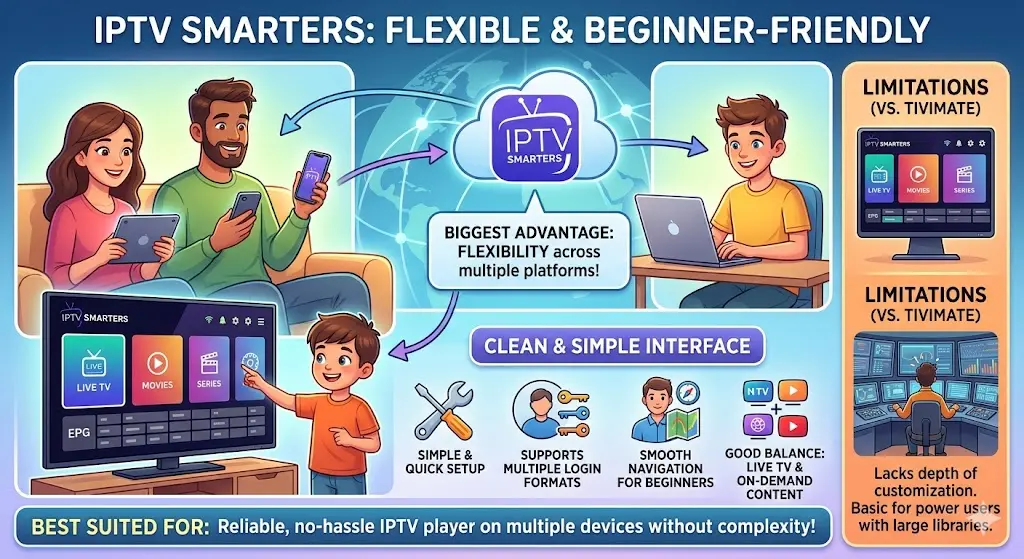
The biggest advantage is flexibility. It works across multiple platforms, including smartphones, tablets, Smart TVs, and desktops. This makes it ideal for households where different people use different devices.
The interface is clean and easy to understand. Instead of a traditional TV guide focus, it leans more toward a streaming app style, similar to modern entertainment platforms.
Key strengths:
- Simple and quick setup process
- Supports multiple login formats
- Smooth navigation for beginners
- Good balance between live TV and on-demand content
Limitations
While IPTV Smarters is easy to use, it lacks the depth of customization found in TiviMate. Power users may find it too basic, especially when managing large channel libraries.
Best suited for:
Users who want a reliable, no-hassle IPTV player that works across multiple devices without complexity.
IBO Player: Simplicity for Smart TV Users
IBO Player is designed with one goal in mind: making IPTV easy on Smart TVs.
What makes it different?
Unlike many IPTV apps that require external devices, IBO Player works directly on supported Smart TVs, especially Samsung and LG. This removes the need for additional hardware.
The interface is minimal, focusing on clarity rather than advanced features. For many users, this is actually a benefit—it keeps everything straightforward.
Key advantages:
- Easy activation and setup
- Clean, uncluttered layout
- Stable playback performance
Drawbacks
IBO Player does not offer advanced features like recording or multi-screen viewing. Customization options are also limited compared to other apps.
Best suited for:
Users who want a simple, reliable IPTV experience directly on their Smart TV without extra devices.
Which IPTV Player Should You Choose?
Choosing the right player depends on your specific situation. Instead of asking which one is “best,” it’s more useful to ask which one fits your needs.
Choose TiviMate if:
- You use an Android TV or Firestick
- You want a premium, cable-like experience
- You value customization and advanced features
Choose IPTV Smarters if:
- You use multiple devices
- You prefer a simple setup
- You want a balanced, user-friendly interface
Choose IBO Player if:
- You mainly watch on a Smart TV
- You want a quick and easy setup
- You prefer simplicity over features
Common Mistakes to Avoid
Many users rush into choosing an IPTV player without considering their setup. Here are a few mistakes to avoid:
- Choosing a player that doesn’t support your device
- Prioritizing features you won’t use
- Ignoring ease of use if you’re a beginner
- Not testing the interface before committing
Final Thoughts
In 2026, IPTV is more accessible than ever, but the experience you get depends heavily on the player you choose.
- TiviMate offers power and control
- IPTV Smarters provides flexibility
- IBO Player focuses on simplicity
There is no single perfect option. The right choice depends on your device, your experience level, and how you prefer to watch content.
To get the best overall experience, combine the right player with a reliable provider. You can explore IPTV plans, features, and compatibility details here: https://starprimemedia.com